The Best Router Placement for Maximum Speed and Coverage
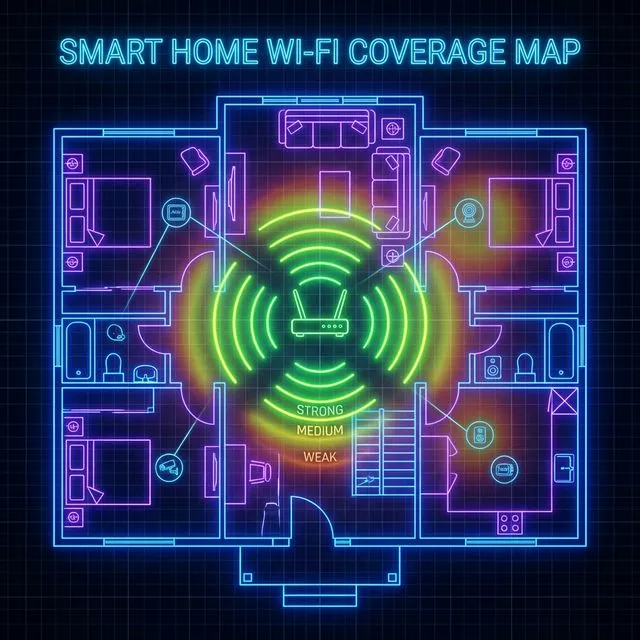
Stop Hiding Your Router
The biggest mistake people make with their home network is hiding their Wi-Fi router. Because routers often look like ugly plastic boxes covered in blinking lights, they are frequently shoved into closets, behind televisions, or under desks. This is devastating for your wireless signal.
Rules for Perfect Router Placement
1. Centralize the Location: Wi-Fi signals broadcast outward in a dome shape. If you place your router in the far corner of your basement, half of your signal is beaming into the dirt or outside your house. Place the router as close to the geographical center of your home as possible.
2. Elevate the Router: Radio waves travel best when they aren't obstructed by furniture. Place your router on a high shelf or mount it high on a wall. The higher it is, the fewer couches, tables, and human bodies it has to penetrate.
3. Keep Away from Interference: Avoid placing your router near kitchen appliances, especially microwaves, which operate on the same 2.4 GHz frequency as some Wi-Fi bands. Also, keep it away from thick concrete walls, large mirrors, and metal objects, as these severely reflect and degrade wireless signals.
4. Adjust the Antennas: If your router has external antennas, do not point them all in the same direction. Point one straight up (vertically) and the other to the side (horizontally). This covers both horizontal and vertical polarization, providing the best connection for both lying-down smartphones and upright laptops.